
How To change the header in a CSV file - Rons Data Edit
This article provides step-by-step instructions on modifying the header of a CSV file and updating its content using Rons Data Edit, a powerful CSV editor. If you'd like to follow along, you can download the free version here: Download.
To open your CSV file, use the 'Open Document' option from the File menu, or click the 'Open Document' link on the application's Start Page.
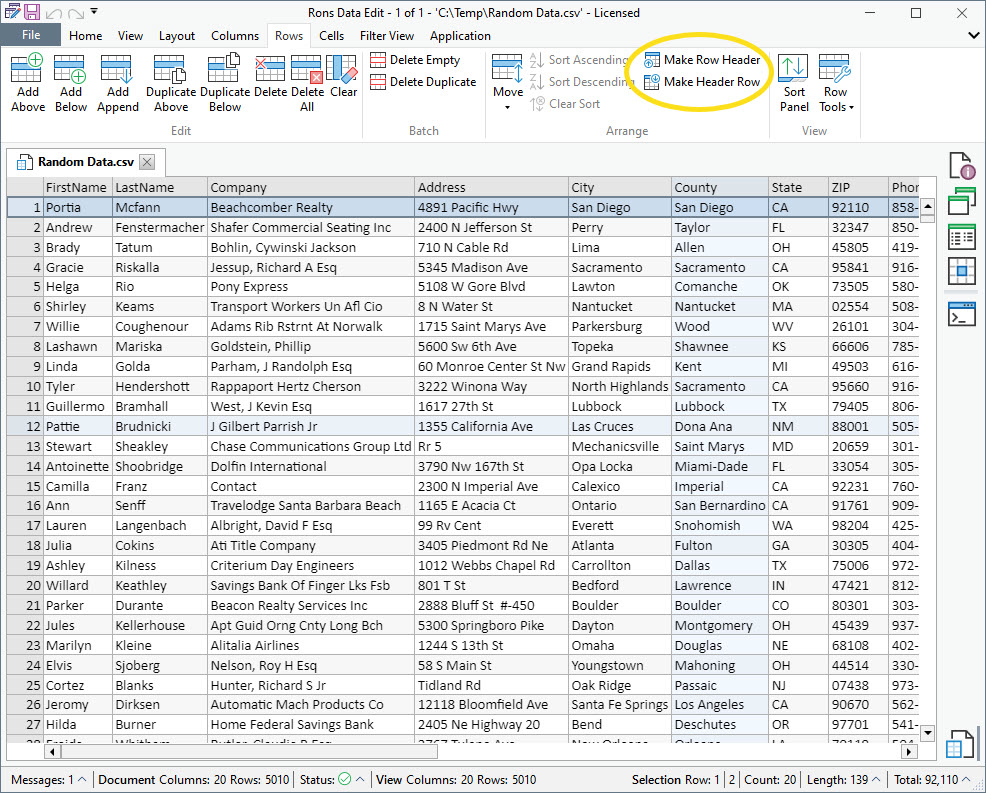
Convert a Row into the File Header
When you want to convert a row into the file header, follow the steps for your menu layout.
- Select the row you want to convert into the header.
- In the top menu, click on Rows.
- From the dropdown list, choose Make Row Header.
Convert the File Header into a Data Row
When you need to revert the file header back into a regular data row, follow the steps for your menu layout.
- In the top menu, click on Rows.
- From the dropdown list, choose Make Header Row (See above picture.)
- The column names will be reset to default values (e.g., Column 01, Column 02, Column 03, etc.).
Update the Header information
To modify header information and rename columns individually, select a column, then go to Column/Rename Column. This will open the header cell, allowing you to edit its content.
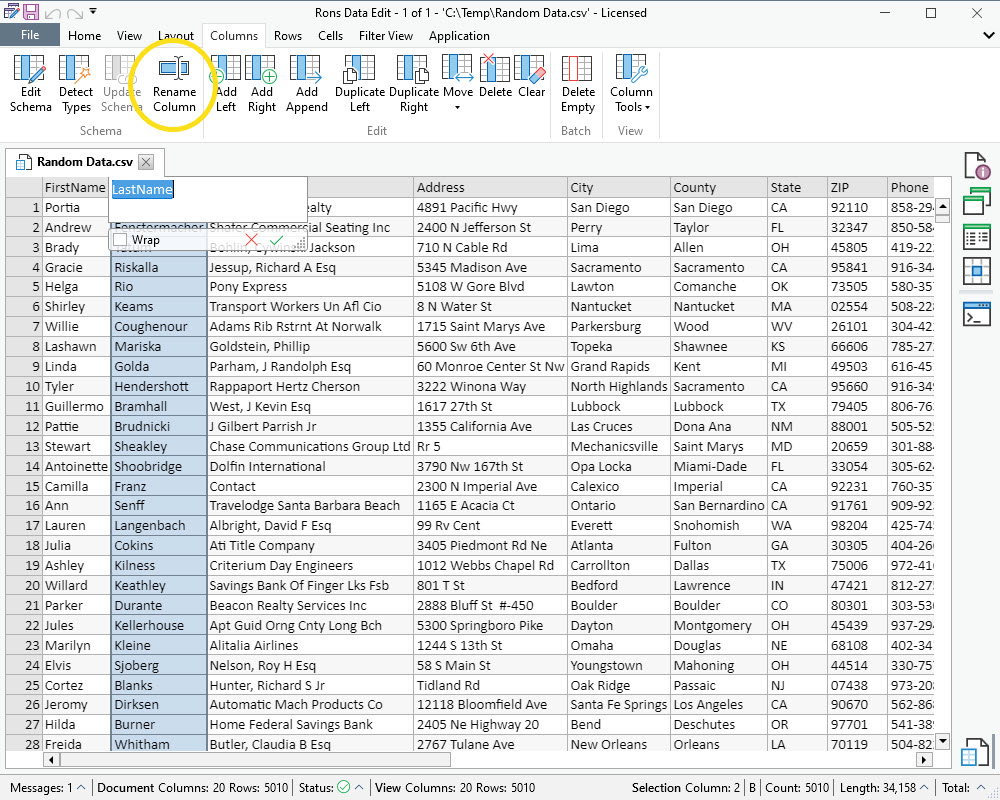
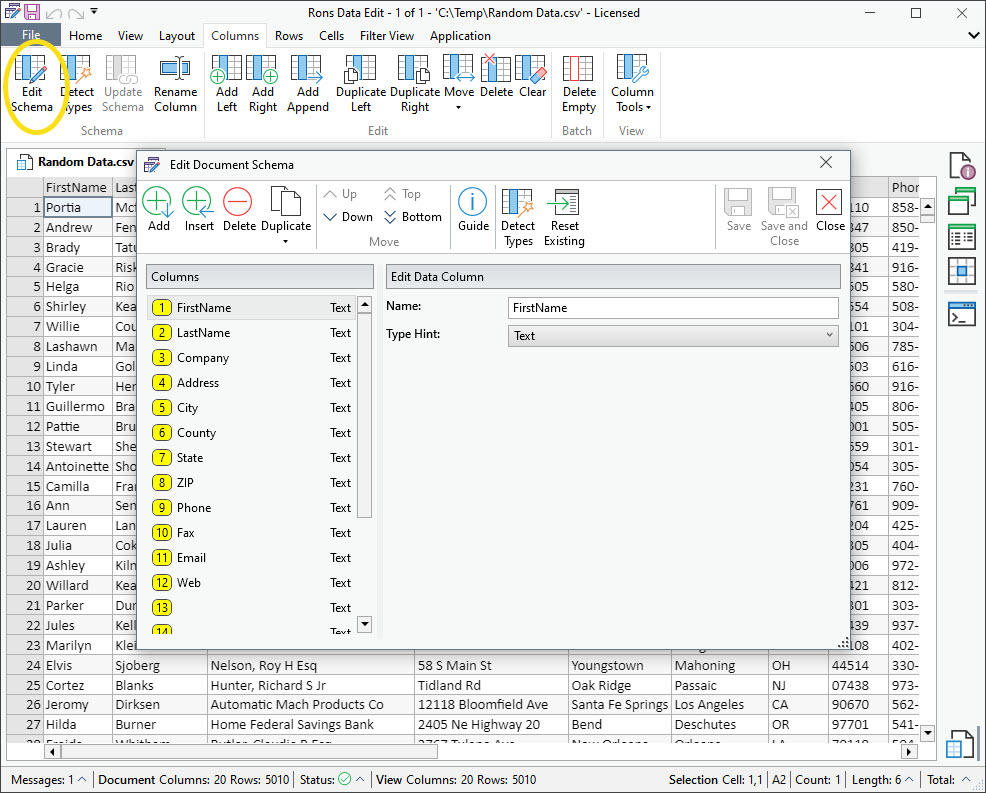
Alternatively, you can update all the columns in the header by going to Column/Edit Schema.
Editing in the Edit Document Schema Window:
- Open the Edit Document Schema window.
- Select a column from the list on the left.
- Update its title in the Edit Data Column area on the right.
- Define the column type (Text, Time, Date, etc.).
- When satisfied with the changes, save and close the Edit Document Schema window to apply them.
Let us hear from you
Do you have a question, or some feedback? We'd love to hear from you! Send us, Rons Place Software, a message using our Contact Form and we will get back to you shortly.
Related Information
- A Perfect Excel alternative to handle CSV files
- How to open and view a CSV file
- Rons Data Edit for e-Commerce
- Text Encoding and Languages in CSV Files
- What is a CSV File
- What is the best CSV Editor
- What is the Difference between Rons Data Edit and Rons Data Stream
CSV Editing
Rons Data Edit


